Personal tracking, designed your way

One app.
Track anything.

Stop juggling six different apps for sleep, weight, mood, expenses and habits. Trackr lets you build your own logs — and reads the patterns back to you every week.

iOS & Android Free for 7 days No card required
3-day streak
BP logged
New AI read
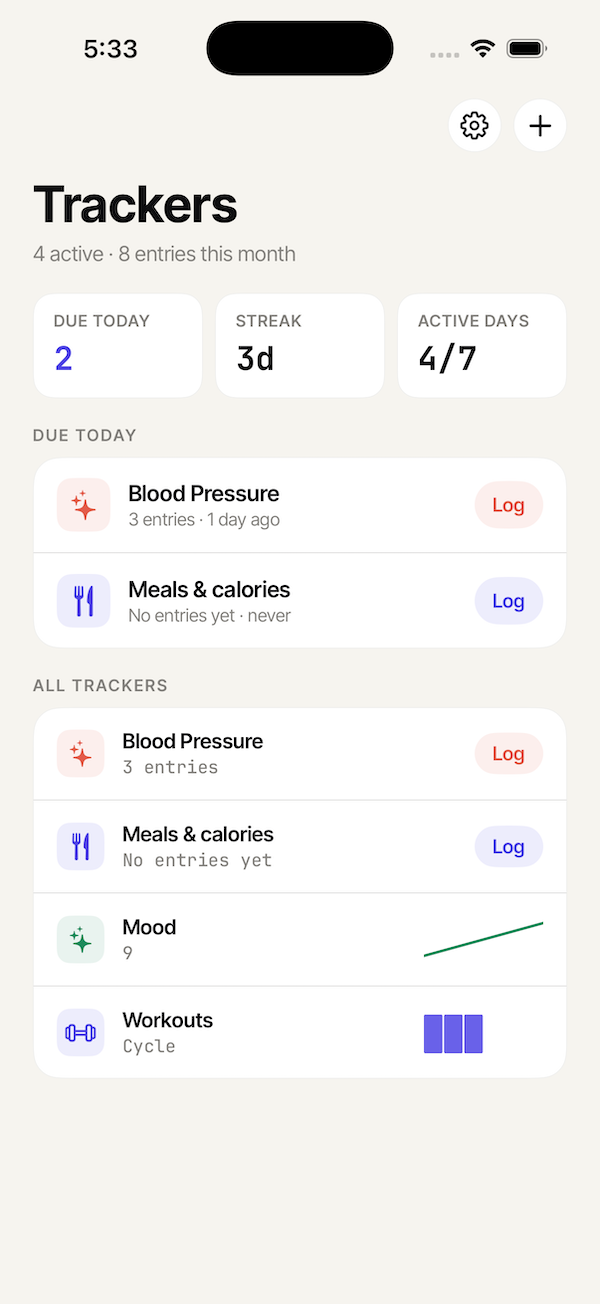
Trackr home screen — list of active trackers including Blood Pressure, Meals, Mood and Workouts
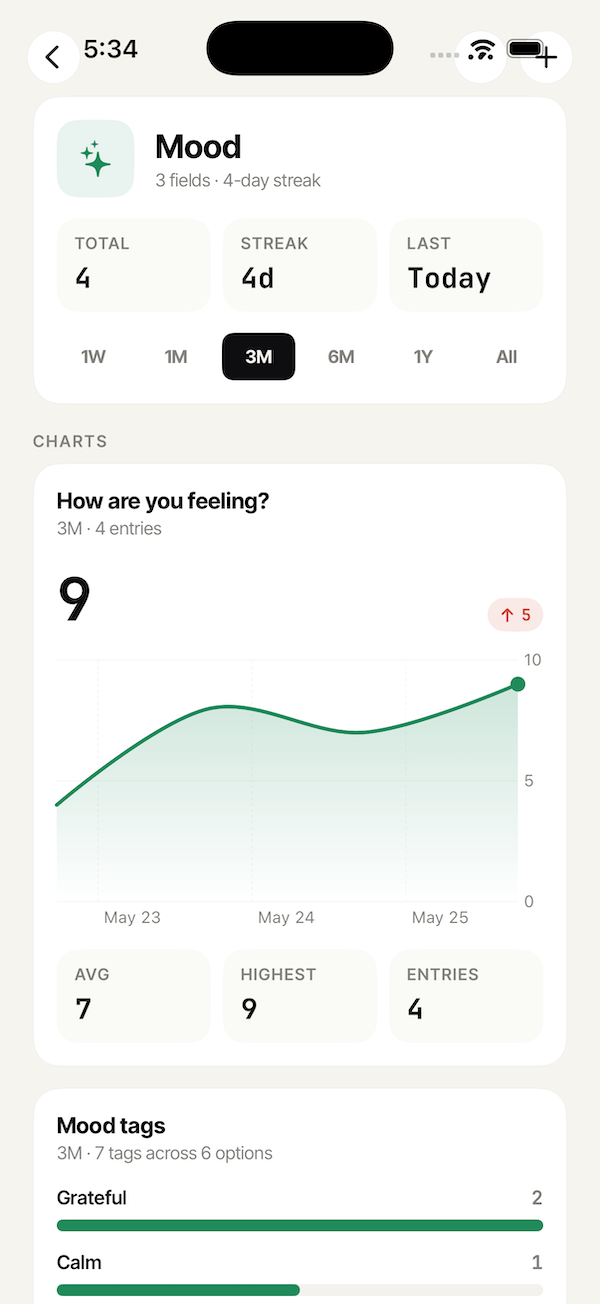
Trackr mood tracker progress screen with a line chart showing scores from 5 to 9 over three days
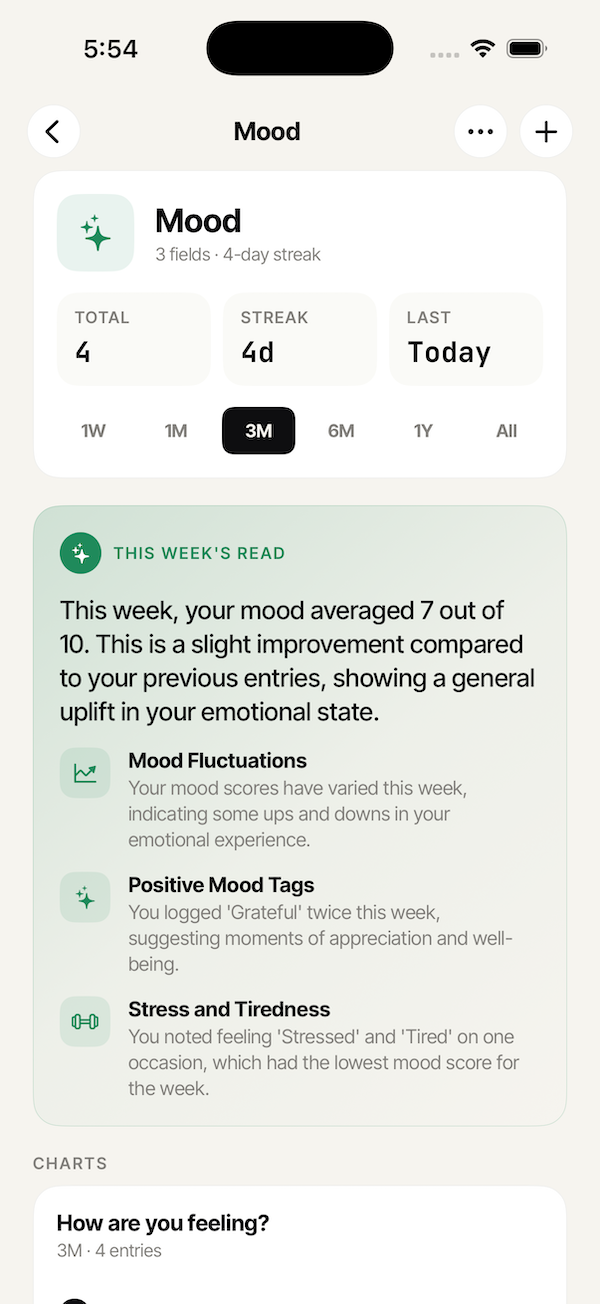
Trackr AI weekly summary card on the Mood tracker progress screen
Six apps' worth of work · one place

Pick a template.
Or start blank.

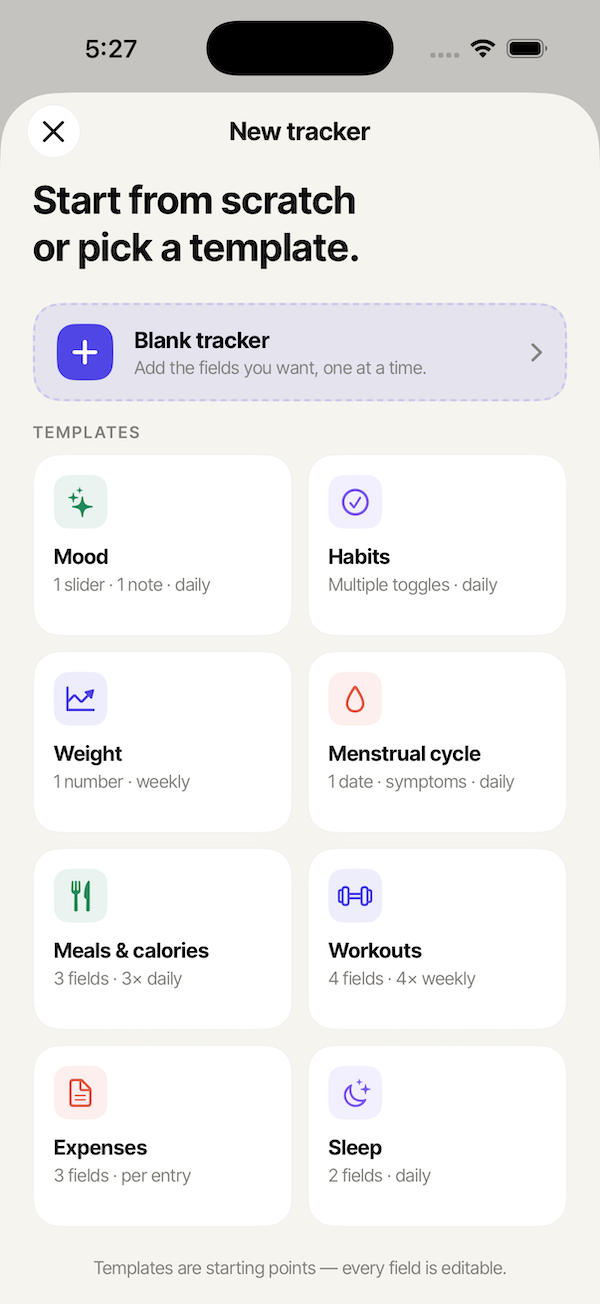
Eight ready-made trackers cover the basics — mood, habits, weight, cycle, meals, workouts, expenses, sleep. Or start from scratch and shape it to whatever you're actually trying to learn about yourself.

  • Templates are starting points — every field is editable.
  • Mix field types: sliders, toggles, photos, dates, text, tags.
  • One personal accent color per tracker, picked by you.
Mood
Cycle
Workouts
Trackr templates picker — Mood, Habits, Weight, Cycle, Meals, Workouts, Expenses and Sleep tracker templates
Build it · No code

Build a tracker
like you'd sketch it.

Drag in the fields you need — text, sliders, toggles, dates, photos, tags. Decide if you want a reminder. Pick a color. That's the whole flow.

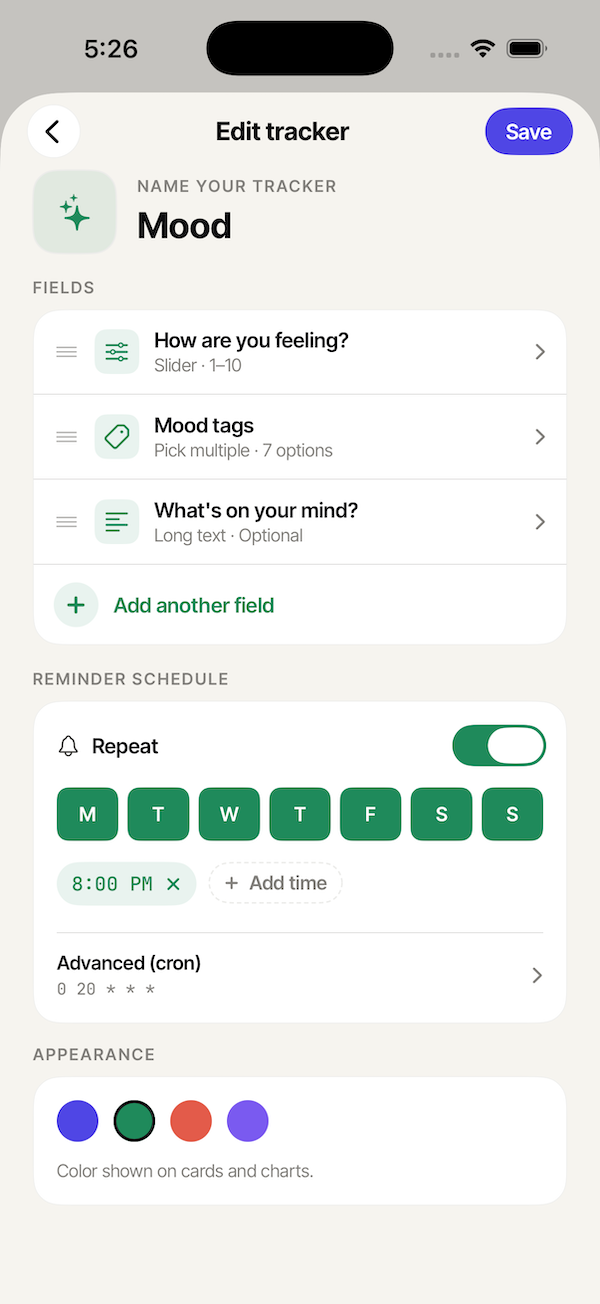
Building a mood tracker in Trackr with slider, tags and notes
Daily mood
A slider + tags + a note
Reminds you at 8 PM. Forest green for the chart.
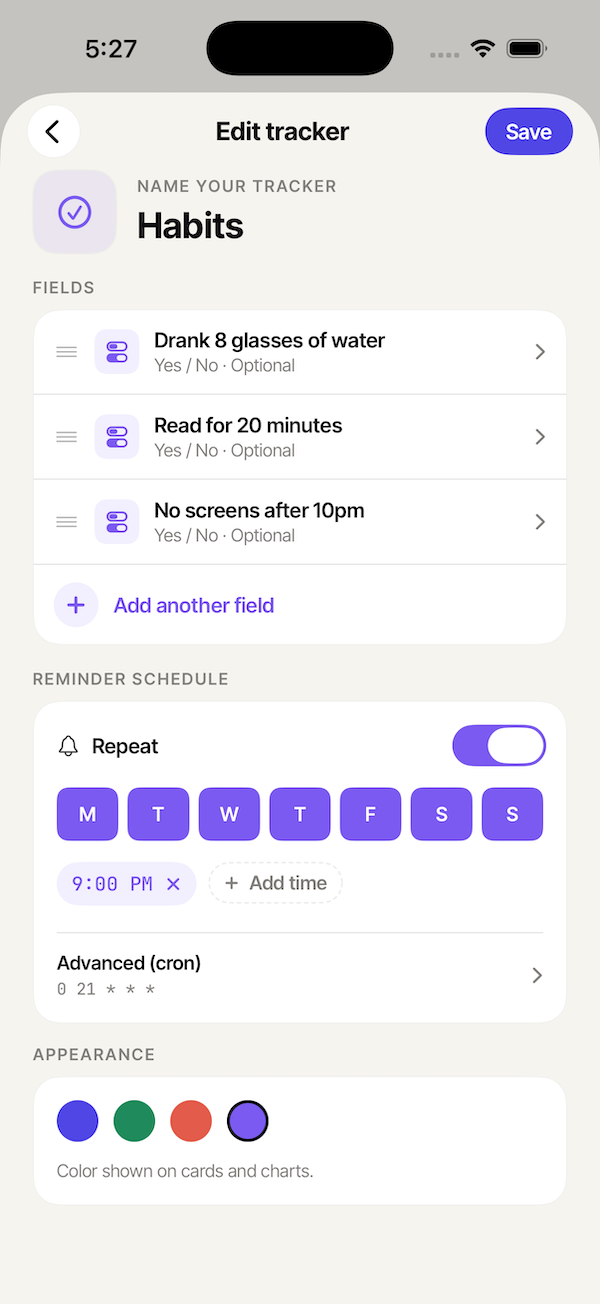
Building a habit tracker in Trackr with three yes/no toggles
Habits
Three yes / no toggles
Same screen, totally different shape. Reminds at 9 PM.
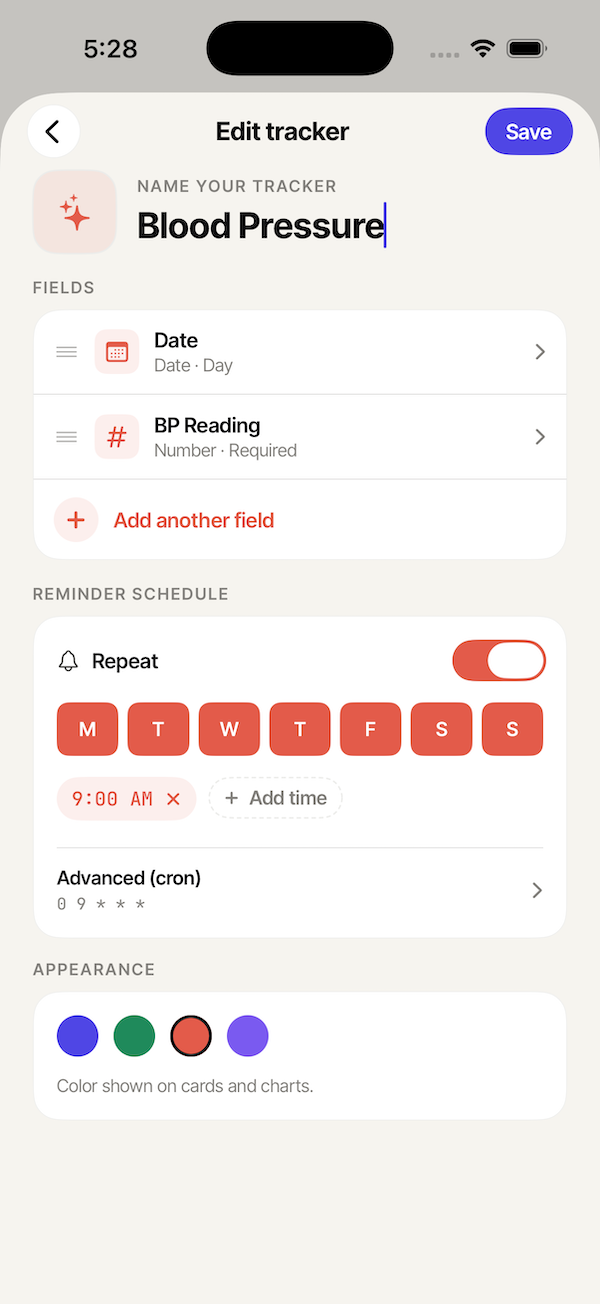
Building a blood pressure tracker in Trackr with a date and required number field
Blood pressure
A date + a required number
Built in 30 seconds for a specific doctor's request.
Field types

Nine building blocks.
Endless combinations.

Every screen in the app is composed from the same handful of inputs. Familiar. Predictable. Yours to arrange.

Short text
Single-line.
Long text
Notes, journals, anything.
Yes / No
Binary toggle.
Slider
Numeric range, e.g. 1–10.
Pick one
Drop-down list.
Pick multiple
Tag chips.
Number
Free input or stepper.
Date
Day or time.
Photo
From camera or library.
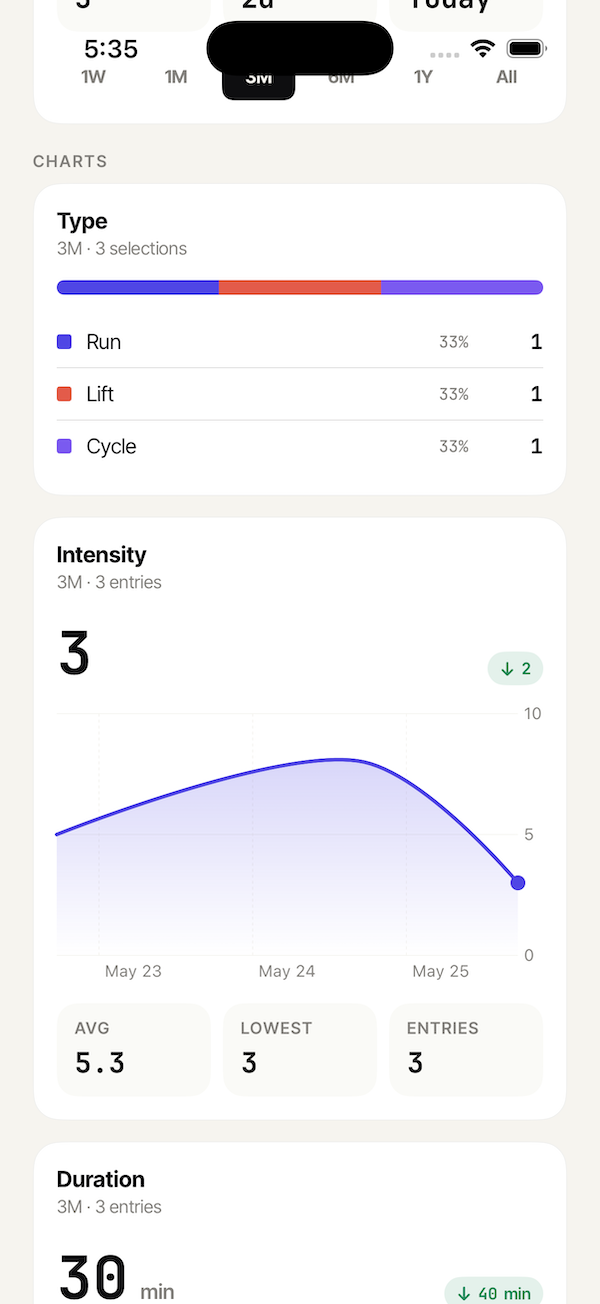
Workout progress charts in Trackr showing intensity over time and type breakdown
Insights · automatic

See the patterns
your data hides.

Every field gets the visualization it deserves. Numbers become lines. Tags become breakdowns. Toggles become streaks. Zero setup.

Avg
5.3
Lowest
3
Entries
3
  • Line, bar, ring, heatmap — picked automatically per field.
  • Zoom from a week to all-time with one tap.
  • Full entry history searchable and editable, always.
AI weekly read · pro

Your personal
analyst, every Sunday.

Trackr Pro writes a short, plain-language summary of what your week of data is actually saying — and quietly flags the patterns you'd otherwise miss.

  • Cross-field correlations
    "Your mood scored 1.8 points higher on days you worked out."
  • Timing patterns
    "Sleeping under 6.5h dropped your next-day score, every time."
  • Streaks & records
    "Five days in a row above 7 — your longest in three months."
Trackr AI weekly summary for a mood tracker, highlighting mood fluctuations and positive tags
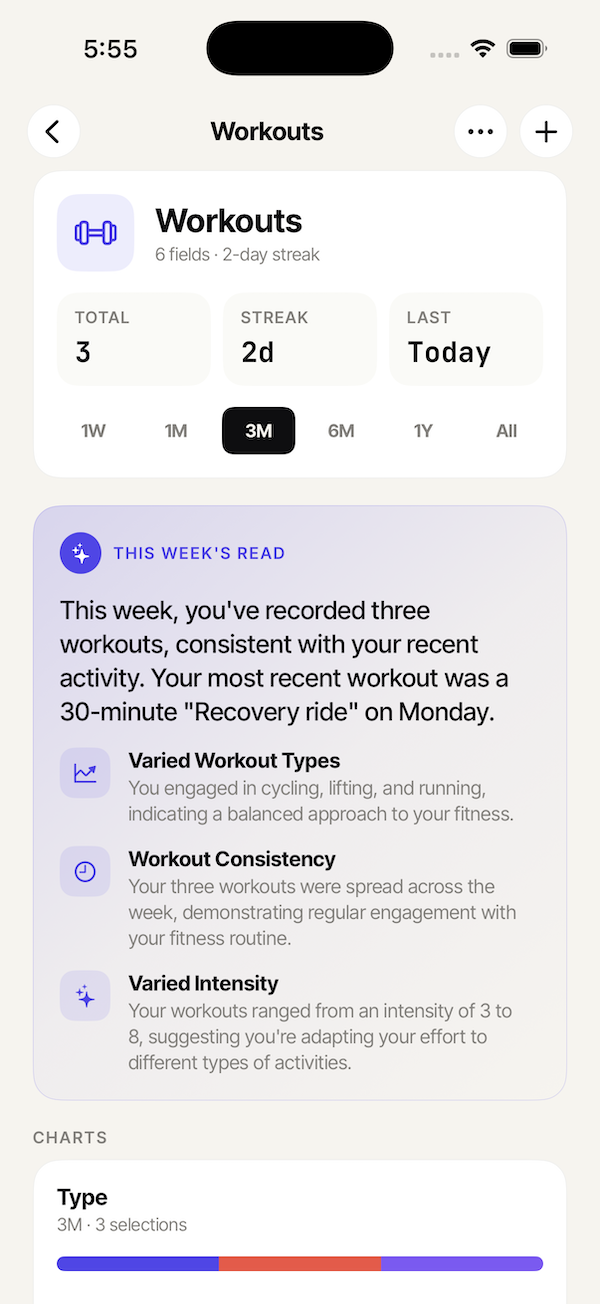
Trackr AI weekly summary for a workout tracker, noting varied workout types and consistency
Pricing · simple

Free to try. Cheap to keep.

Every feature works fully on Free with one tracker, so you can decide before you pay.

Free
$0forever
One tracker, fully functional.
  • One tracker
  • All eight field types
  • Charts, streaks, reminders
  • 30 days of history
  • No AI weekly summaries
Download Trackr
Trackr Pro
$3.33/mo
$39.99 billed yearly · or $5.99/mo
  • Unlimited trackers
  • AI weekly summaries
  • Smart reminders (cron, time windows)
  • Full history, unlimited photos
  • Priority support
Start 7-day free trial
FAQ

Questions, answered.

Is my data private?
Yes. Your data is encrypted on device and end-to-end during sync. We never sell it. AI summaries run on Vertex AI's no-training tier — your inputs are never used to train models.
Does it work offline?
Trackr is offline-first. Every screen — logging, charts, reminders, history — works without a connection. Edits sync automatically when you're back online.
Does it sync between iPhone and Android?
Yes. Sign in with the same account on both platforms. Your trackers, entries and photos all show up on the other device within seconds.
Can I export my data?
Any time. Export any tracker as CSV from the tracker settings — no Pro required. We don't lock your data in.
What if I cancel Pro?
Your data stays. The app continues to work on your most recently active tracker; older trackers are archived and reappear instantly if you re-subscribe.
Is there a desktop version?
Not yet. Trackr is designed for the in-the-moment log — best on the phone you already have. A web view for reading is on the roadmap.
Track anything.

Start with one tracker, free. Pick a template, sketch your own, log your first entry in under a minute.